Magic Event Live Pro: First Look at the Gesture-to-DMX/OSC Control App for Mac
By Day Zero Guides Editorial · How we produce guides
Some links in this guide are affiliate links. If you sign up through them, Day Zero Guides may earn a commission at no extra cost to you. This never affects which products we cover or what we say about them. See our affiliate disclosure for details.
Who Should Try It Today
If you're running a Mac-based show-control setup and want a low-friction way to test whether gesture triggers are reliable enough for your rig, the free tier costs nothing and takes minutes to set up — just don't expect to rehearse a full show inside a 2-minute session. If early testing looks solid, $99.99/year is a low bar compared to the cost of a mis-cued blackout during a live show.
What Magic Event Live Pro Actually Does
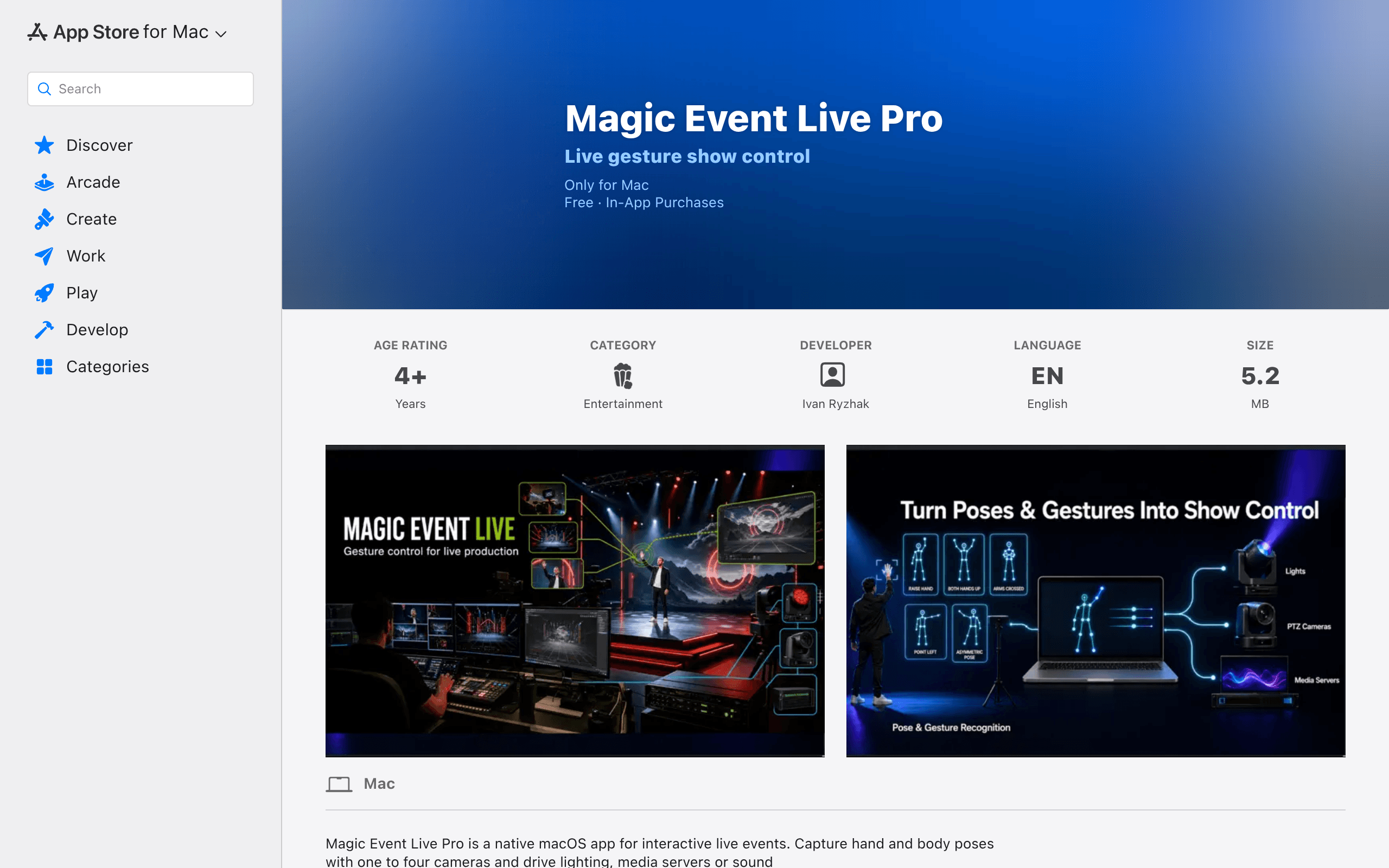
Magic Event Live Pro is a native macOS app (Apple Silicon, listed on the Mac App Store) that watches a stage through 1 to 4 cameras, tracks hand and body poses, and fires network commands when it recognizes a gesture. Instead of a technician pressing a button on a lighting console or media server, a performer's raised fist, open palm, or arm sweep becomes the trigger. The app speaks the protocols stage techs already use — OSC, DMX, and FreeD — so it slots in next to a grandMA console, a media server like disguise or Resolume, or a camera-tracking pipeline that expects FreeD data, rather than replacing them.
Each gesture is assigned to a 'slot.' A slot pairs a recognized pose with an outbound command and a recognition threshold you tune so an actor's casual arm movement doesn't misfire a blackout cue. The free tier caps you at 2 active slots and 2-minute sessions, which is enough to test recognition accuracy with your own lighting rig but not enough to run a show. The Pro tier unlocks all 20 slots and removes the session limit.
Pricing, Broken Down
| Tier | Price | Active Slots | Session Length | Multi-Camera |
|---|---|---|---|---|
| Free | $0 | 2 | 2 minutes, then cuts out | Yes (1-4 cameras) |
| Pro Monthly | $14.99/month | 20 | Unlimited | Yes (1-4 cameras) |
| Pro Annual | $99.99/year (~$8.33/month) | 20 | Unlimited | Yes (1-4 cameras) |
The annual plan is roughly 44% cheaper than paying monthly for a year, which matters here because this isn't a one-off purchase — it's a subscription for a tool that likely lives on a dedicated show-control Mac. If you're only testing gesture reliability with your specific rig before a single event, the free tier's 2-minute sessions are workable for A/B testing thresholds, but you'll hit the wall fast once you want to rehearse a full cue sequence.
Where It Actually Fits on a Show Floor
- Corporate keynote: A presenter raises a hand at a specific height to advance a slide deck or trigger a lower-third via OSC, without a clicker or a stage manager watching for a verbal cue.
- DJ/VJ live sets: A performer's fist-pump or arm-raise sends a DMX scene change to a lighting rig mid-set, syncing lighting to performance energy instead of a pre-programmed timeline.
- Theater and live production: A stage manager or performer triggers a sound cue via a discreet gesture instead of relying on a headset call to a board op, useful in productions where verbal cueing would break immersion.
- Worship and events production: A speaker's hand movement while at the podium triggers a camera preset or graphics change via FreeD/OSC without an operator riding the switcher.
- Museum and brand installations: Body pose in front of an interactive display triggers media server playback changes, letting an installation respond to a visitor without a button or kiosk touchscreen.
The common thread: this is for gesture-as-trigger, not gesture-as-animation-driver. It's not trying to puppeteer a 3D character in real time — it's trying to reliably replace a hand on a fader or a finger on a go-button.
How It Compares to the Tools Stage Techs Already Know
| Magic Event Live Pro | Autodesk MotionBuilder | Ventuz | Notch Builder | |
|---|---|---|---|---|
| Price | $99.99/year or $14.99/month | ~$675/year subscription (legacy Autodesk pricing) | Custom quote, typically enterprise per-node licensing | Node-locked license, typically $3,000-$4,000+ one-time, plus render nodes |
| Core function | Camera-based gesture recognition → OSC/DMX/FreeD triggers | Full 3D character animation and mocap pipeline | Real-time graphics engine for broadcast/AV with camera tracking | Real-time node-based visual generation and playback engine |
| Camera input | 1-4 standard cameras, pose detection built-in | Requires external mocap suits/cameras (Vicon, OptiTrack, etc.) | Supports camera tracking via external tracking systems | Supports FreeD/tracking input but not gesture recognition itself |
| Best for | Small-to-mid stage teams wanting gesture triggers without a full show-control rebuild | Studios doing character animation and mocap cleanup, not live triggering | Broadcast and large-venue AV teams needing a full real-time graphics pipeline | Studios and VJs building generative visuals and playback, not gesture detection |
| Learning curve | Low — slot-based config, no scripting required | High — animation pipeline expertise expected | High — typically needs a dedicated Ventuz operator/integrator | Medium-high — node graph knowledge required |
| Platform | macOS only | Windows only | Windows only | Windows only |
The honest framing: MotionBuilder, Ventuz, and Notch Builder are not really competitors to Magic Event Live Pro — they're adjacent tools solving different problems (character animation, broadcast graphics, generative visuals). None of them do gesture-to-protocol triggering as their core job, and none run on macOS. Magic Event Live Pro's actual competition is more likely custom OSC/DMX scripts built in TouchOSC, Max/MSP, or bespoke computer-vision setups — it's competing against 'build it yourself' more than against these named platforms. The table above is useful mainly to show why you wouldn't reach for MotionBuilder or Ventuz if gesture-triggered cueing is the actual problem you have.
Who Should Skip It
Windows-only production pipelines are a hard no — there's no PC version. If you need character-driven animation, broadcast-grade real-time graphics, or a generative visual engine, this app isn't trying to be MotionBuilder, Ventuz, or Notch Builder, and comparing it on those terms will lead to disappointment. This is a focused triggering tool, not a graphics or animation platform.