RowLoom First Look: A Free Browser-Based CSV Cleaner Without the OpenRefine Learning Curve
By Day Zero Guides Editorial · How we produce guides
Some links in this guide are affiliate links. If you sign up through them, Day Zero Guides may earn a commission at no extra cost to you. This never affects which products we cover or what we say about them. See our affiliate disclosure for details.
What it costs right now
RowLoom has no paid plan. There's no pricing page, no "upgrade to Pro" nag, no credit card prompt. It's free with two usage tiers determined entirely by whether you create an account:
| Tier | File size limit | Row limit | Requires account |
|---|---|---|---|
| Anonymous | 2MB | 5,000 rows | No |
| Registered | 5MB | 10,000 rows | Yes (free) |
That's the entire pricing model as of launch. There's no indication from the RowLoom team about future monetization — no "beta pricing" disclaimer, no waitlist for a paid tier. For now, what you see is what you get: upload a CSV, clean it, download it, optionally save your cleaning steps as a reusable "schema" if you've registered.
The practical ceiling matters. 5,000-10,000 rows covers a lot of real-world messes — a CRM export, a mailing list, a quarterly sales dump — but it will not touch a 200,000-row warehouse export. If your dirty data problem is actually a big data problem, RowLoom isn't built for that yet, and there's no published roadmap suggesting it will be.
What that buys you
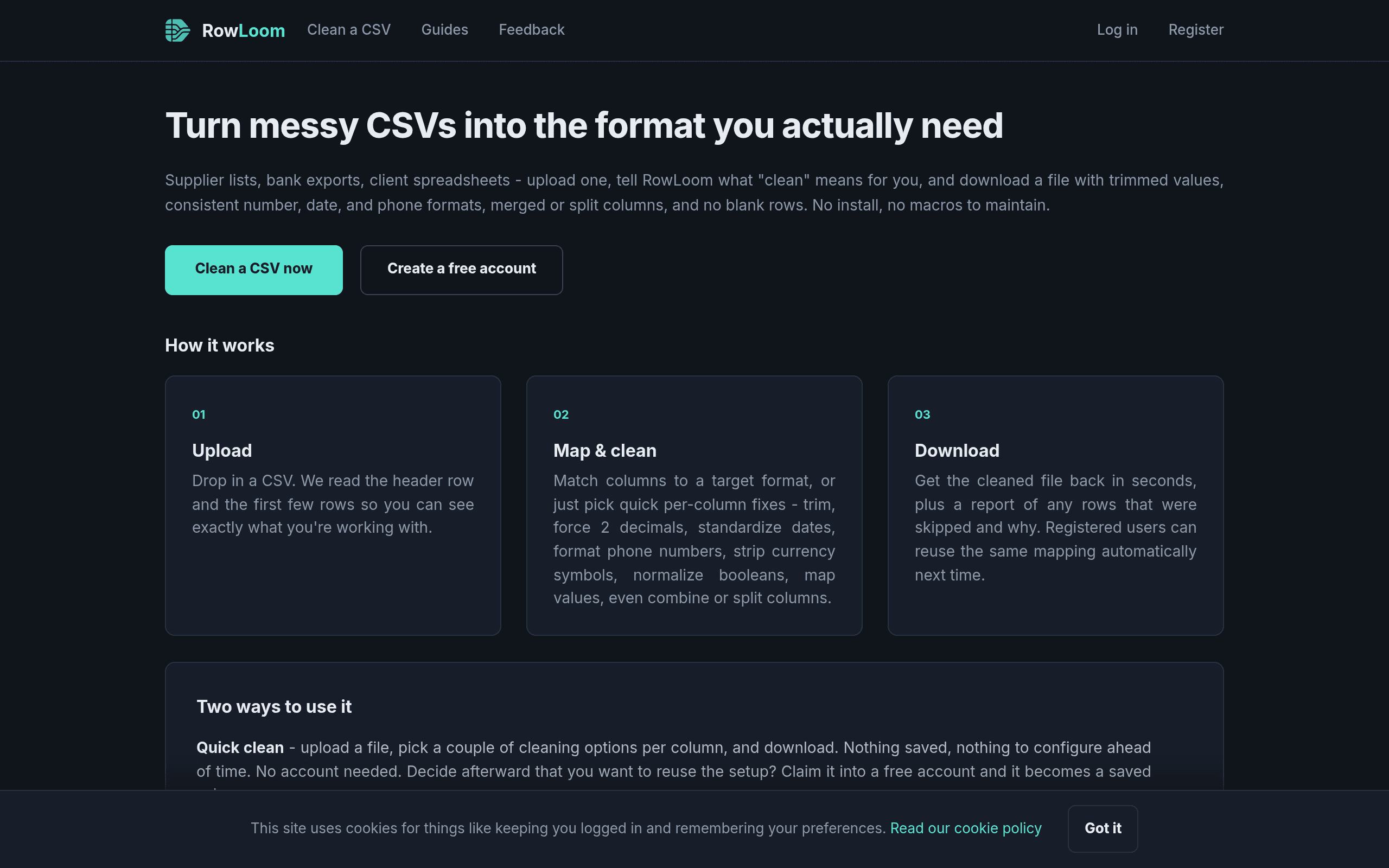
The core value proposition is narrow and well-executed: you have one messy spreadsheet, you need it clean in the next five minutes, and you don't want to write a script or install a desktop app to do it. RowLoom runs entirely in the browser at rowloom.com — upload, apply rules, export. No signup wall blocks the basic flow, which is notable; most "free" data tools gate the first use behind an email capture.
The rule set covers the boring-but-constant CSV problems:
- Trimming — stripping leading/trailing whitespace across columns in one pass
- Date normalization — collapsing inconsistent date formats (MM/DD/YYYY, DD-MM-YY, written-out dates) into a single standard
- Phone number formatting — standardizing country codes, separators, and digit grouping
- Number normalization — fixing inconsistent decimal/thousands separators, stray currency symbols
- Column merging and splitting — combining first/last name columns, or splitting a single "address" column into street/city/state
Anonymous vs. registered: what actually changes
Anonymous use is genuinely anonymous — no account, no email, upload and go, capped at 2MB/5,000 rows. Registering (free) raises the ceiling to 5MB/10,000 rows and unlocks saved schemas: if you clean the same type of export every week (say, a weekly lead list from the same vendor with the same formatting quirks), you define the cleaning rules once and reapply them on future uploads instead of reconfiguring from scratch.
That schema-reuse feature is the main reason to create an account. If you're doing a true one-off cleanup, there's no reason to register at all.
Concrete use cases
- Marketing ops cleaning a list before a CRM import — a 6,000-row export from a trade show scanner app with inconsistent phone formats and trailing whitespace in company names. Fits the registered tier, done in one pass, no IT ticket required.
- A small business merging two customer spreadsheets — one has "First Name"/"Last Name" columns, the other has a single "Full Name" column. Split/merge handles the reconciliation before a mail-merge.
- A freelancer cleaning client-provided data for a one-time report — anonymous tier, under 5,000 rows, no account needed, no data persisted under their name.
- An analyst standardizing dates from multiple regional offices — US dates, European dates, and Excel serial dates mixed in one column, normalized to ISO format before loading into a BI tool.
What it's not for: deduplication against fuzzy matches, joins across multiple tables, API-based automation, or any workflow where you need to schedule a recurring clean without manually re-uploading a file. There's no API and no scheduling — you upload through the browser each time, even with a saved schema.
How it compares
| RowLoom | OpenRefine | Talend Data Preparation | Alteryx Designer | |
|---|---|---|---|---|
| Price | Free (no paid tier) | Free, open source | Free tier available; paid Talend plans historically $1,170+/user/year | Starts around $5,195/year per named user |
| Install required | No — browser only | Yes — runs as a local server via desktop app | Cloud or on-prem deployment; heavier setup | Yes — full desktop install, Windows-centric |
| Row/file limits | 5,000 rows anon / 10,000 rows registered | None (limited by local machine RAM) | Generous but tiered by plan | None (limited by hardware/license) |
| Learning curve | Low — guided rule-based UI | Steep — facet/filter/GREL scripting | Moderate — more enterprise workflow concepts | Steep — full ETL workflow builder |
| Reusable workflows | Yes, via saved schemas (registered only) | Yes, via saved OpenRefine projects/scripts | Yes, via preparation recipes | Yes, via saved workflows |
| Best for | Quick, small-to-medium one-off or recurring CSV cleanups without setup | Power users comfortable with scripting-like transforms on larger local datasets | Teams needing governed, collaborative data prep at scale | Enterprise ETL, blending, and advanced analytics pipelines |
The honest verdict
RowLoom isn't trying to compete with Alteryx or Talend on power, and it shouldn't be judged against them on features — it's solving a much smaller problem: the 10-minute CSV cleanup that doesn't justify opening OpenRefine, let alone provisioning an Alteryx license. If your file fits in the row/size caps and your cleaning needs are trim/normalize/merge-split, it's faster to get to a clean file here than anywhere else on this list, and it costs nothing to find out. The open questions are about durability — no pricing model announced means no guarantee the free tier survives unchanged, and the lack of an API means it will never be a background part of your data pipeline. For the stated use case — a human, a messy spreadsheet, and five minutes — it does exactly what it says.