ShortcutDock: First Look at the Free Menu Bar App Launcher Replacing the Mac Dock
By Day Zero Guides Editorial · How we produce guides
Some links in this guide are affiliate links. If you sign up through them, Day Zero Guides may earn a commission at no extra cost to you. This never affects which products we cover or what we say about them. See our affiliate disclosure for details.
What ShortcutDock actually is
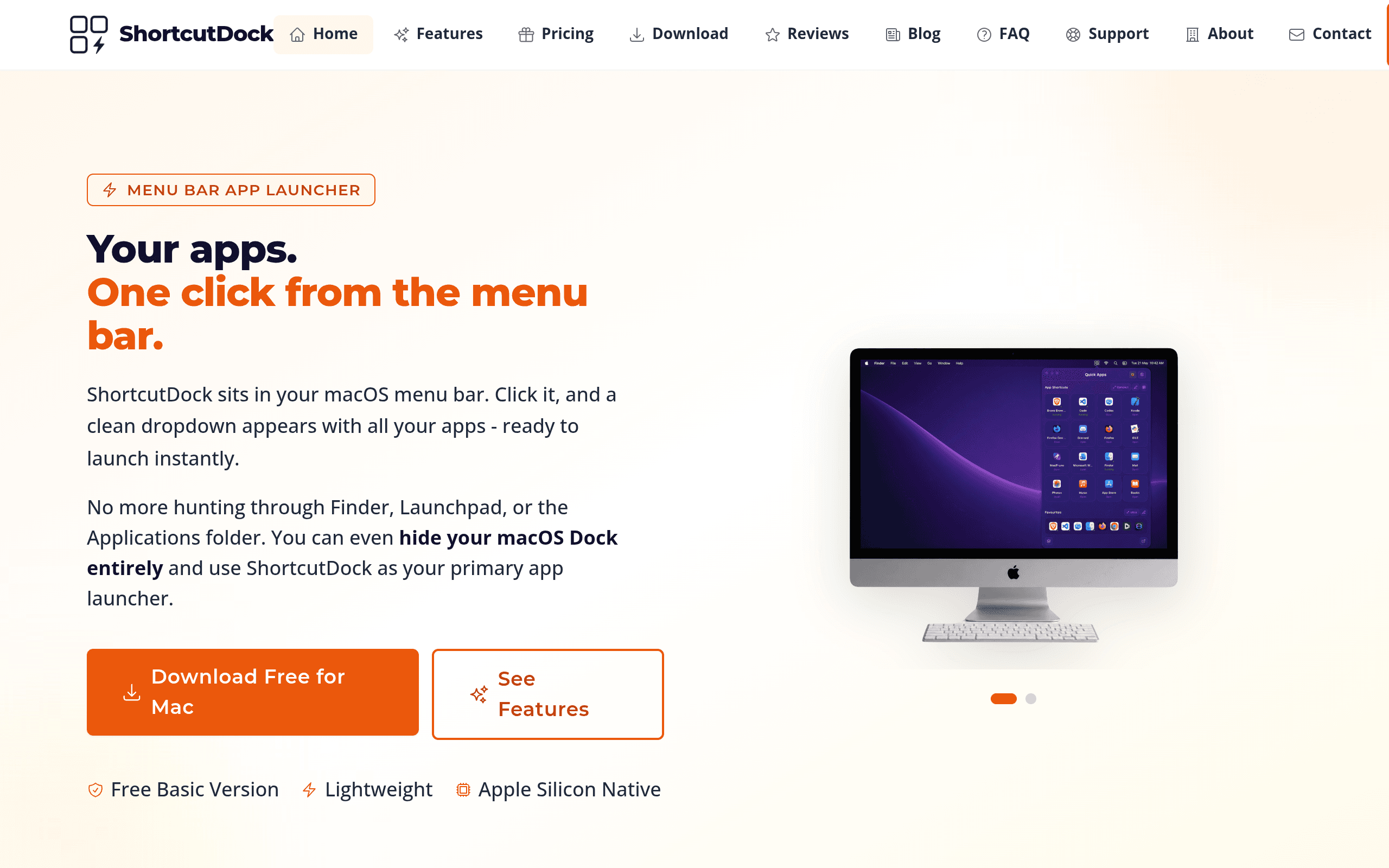
ShortcutDock is a small macOS utility that lives in your menu bar and opens a dropdown grid of app icons when clicked. Instead of scanning a Dock full of icons at the bottom of your screen, or hitting Cmd+Space and typing an app name, you click a menu bar icon and get a compact, organized grid of the apps you've assigned to it. You can group apps into categories (say, "Design," "Writing," "Dev Tools"), pin the ones you use constantly to a favorites row, and — if you want to commit — turn off the native macOS Dock entirely and let ShortcutDock be your only launcher.
It's not a search-driven launcher like Alfred or Raycast. There's no command palette, no typing to filter, no workflows or extensions. It's a visual, click-based launcher aimed at people who think in icons and folders rather than keyboard queries. That distinction matters a lot when deciding whether this is the right tool for you.
Pricing: what it actually costs today
ShortcutDock ships as a free "Basic" version, and as of this writing there's no published premium tier, paid upgrade, or subscription anywhere on shortcutdock.com. That's unusual in a category where every competitor has monetized in some way (one-time purchase, subscription, or bundled through Setapp). It's worth flagging two things for anyone considering it:
- Free now doesn't guarantee free later. No pricing page for a future "Pro" tier exists yet, but the "Basic" naming convention strongly implies a paid tier is coming. If you're building a workflow around a menu bar launcher, that's a reasonable risk to accept, but go in with eyes open.
- No trial-vs-paid friction today. You're not being nagged to upgrade, there's no feature paywall visible in the current build, and there's no license key to manage. For a first look, that makes it trivial to try.
Where it's actually useful
ShortcutDock is best suited to a fairly specific kind of workflow:
- Dock replacement on small screens. If you use a 13" MacBook Air or work with an external display in clamshell mode, the traditional Dock eats real screen real estate or gets buried behind windows. Moving app access to the menu bar frees up the bottom edge of the screen entirely.
- Context-switching between app clusters. If your day looks like "open Figma, Slack, and Notion for design work" then later "open Xcode, Terminal, and Simulator for dev work," grouping apps by task in ShortcutDock's grid is faster to scan visually than remembering app names to type into a launcher.
- Non-power users who don't want to learn commands. Alfred and Raycast reward people willing to learn keyword syntax and build workflows. ShortcutDock rewards people who just want to click a familiar-looking icon grid, similar to iOS's app switcher, without any typing at all.
- Presentation and shared-screen setups. A clean menu bar launcher with the Dock hidden looks tidier on a screen-shared call or a demo than a Dock cluttered with 40 icons.
Where it's clearly not useful: if your workflow depends on file search, clipboard history, snippet expansion, calculator functions, or calendar/email quick actions — the stuff Alfred and Raycast do well beyond app launching — ShortcutDock won't replace those tools. It does one job (launching and organizing apps) and doesn't pretend to do more.
How it compares
| ShortcutDock | Alfred | LaunchBar | Raycast | |
|---|---|---|---|---|
| Price | Free (Basic version; no premium tier published yet) | Free core app; Powerpack one-time license ~$40 (with optional lifetime-updates tier ~$65) | ~$29 one-time (also bundled in Setapp subscription) | Free tier; Raycast Pro ~$8-10/month (billed annually) for AI features, cloud sync, custom themes |
| Interaction model | Click-based dropdown grid in menu bar | Keyboard-driven search bar + workflows | Keyboard-driven search bar, abbreviation learning | Keyboard-driven command palette + extensions |
| Extensibility | None currently (no plugin/workflow system) | Extensive workflow system, community workflows, scripting | Instant Send, AppleScript support, limited but mature actions | Large extension store, scriptable, AI commands on Pro |
| Replaces the Dock | Yes, explicitly designed to (optional) | No — runs alongside Dock | No — runs alongside Dock | No — runs alongside Dock |
| Best for | Users who want a visual, grouped, click-driven app grid and a decluttered screen | Power users who want deep automation via typed commands and workflows | Keyboard purists who want a fast, minimal, no-frills launcher | Developers and power users who want an all-in-one command bar with extensions and AI |
The honest tradeoffs
What ShortcutDock gets right: it installs fast, the grid UI is genuinely easier to scan than a crowded Dock, and grouping apps by project or task is a nice organizational win that neither Alfred nor Raycast really offers out of the box (both are search-first, not browse-first). Turning off the system Dock and running ShortcutDock as a full replacement is a legitimately different way to use macOS, and for anyone who's found the Dock cluttered or slow to navigate, it's worth the five minutes to try.
What it doesn't do: no fuzzy search, no keyboard shortcuts to jump directly to an app by typing a few letters (at least not in the current build), no workflow automation, no clipboard manager, no file search, no extension ecosystem. If you're currently an Alfred or Raycast user, ShortcutDock isn't a replacement for either — it solves a narrower problem (visual app access) that those tools already handle adequately, if less elegantly, through search.
The bigger open question is the roadmap. "Basic" is doing a lot of implicit work in that name, and there's no visible information about what a paid tier would add — more groups, cloud sync across Macs, custom icon themes, hotkeys? Until that's announced, you're evaluating a product that could change its value proposition (and cost) later.
Should you install it today?
Yes, if you want to try replacing your Dock with something more organized and you don't rely on search-based launching. It costs nothing, takes a few minutes to set up groups, and can be uninstalled without any cleanup complexity since there's no license or subscription tied to it.
No, if your workflow already depends on Alfred workflows, Raycast extensions, or LaunchBar's keyboard-first speed — ShortcutDock doesn't compete on that ground and isn't trying to.
For a genuinely new entrant into the "declutter my Mac" category, ShortcutDock is a low-risk experiment worth the ten minutes it takes to set up and judge for yourself.