Telix: Dialer & Call Tracker — First Look at the On-Device Call Logging App for Sales and Support Teams
Some links in this guide are affiliate links. If you sign up through them, Day Zero Guides may earn a commission at no extra cost to you. This never affects which products we cover or what we say about them. See our affiliate disclosure for details.
What Telix Actually Does
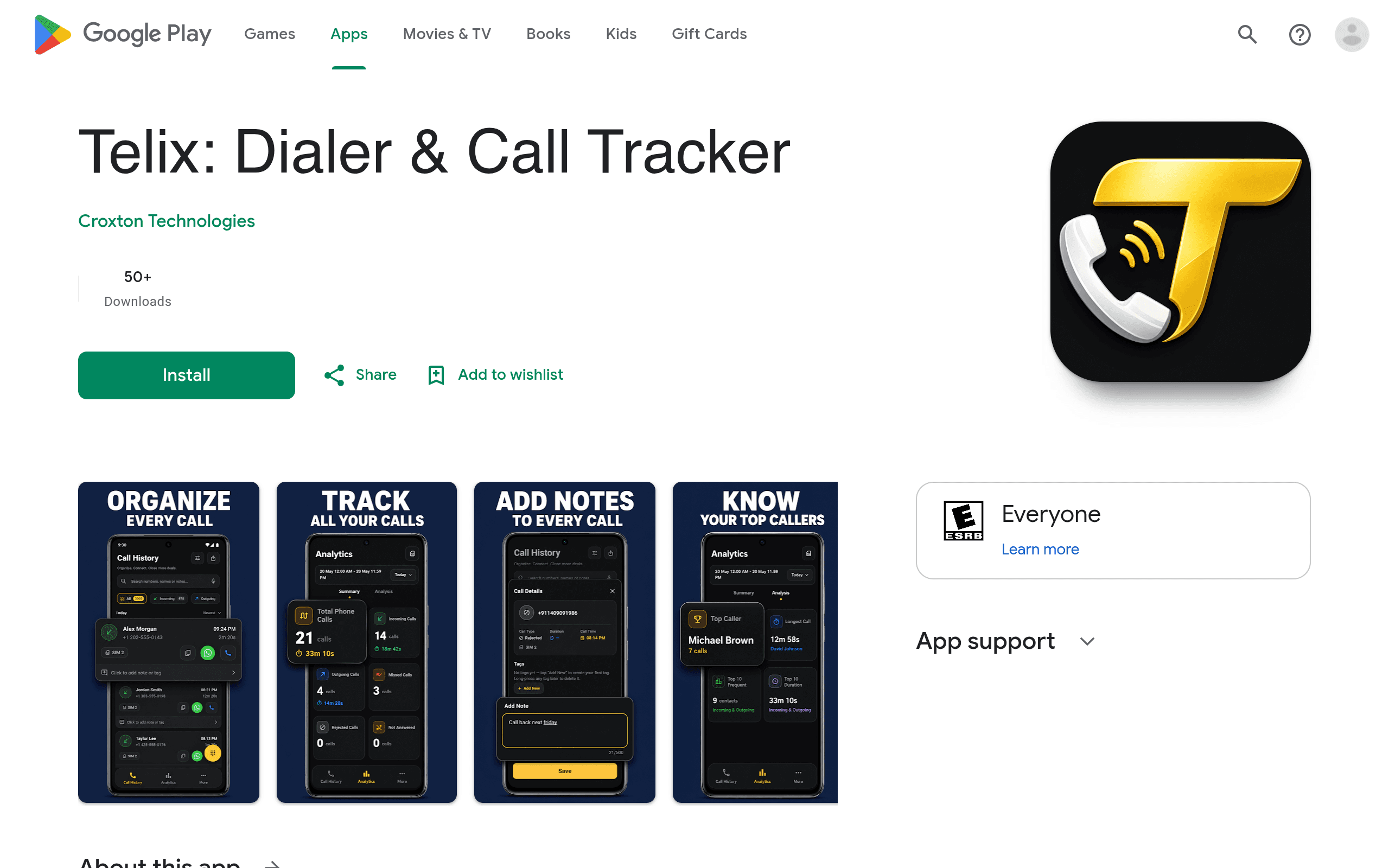
Telix isn't a phone dialer replacement in the traditional sense — it's a call log organizer that sits alongside your existing dialer (including Google's) and turns your raw call history into something you can actually use for work. If you've ever finished a day of cold calls or support tickets and had zero record of who you talked to, what was discussed, or which calls actually mattered, that's the gap Telix is trying to close.
The core loop is simple: every call you make or receive gets logged automatically, and you can attach a tag (like "Follow-up," "No Answer," "Closed," or a custom label), a note, and metadata like which SIM was used. Dual-SIM support matters here — a lot of sales reps and recruiters run a work line and a personal line on the same phone, and most call trackers either ignore the second SIM or mash both into one undifferentiated list. Telix keeps them separate.
The other headline feature is that everything stays on the device. There's no cloud sync, no account creation tied to a server, and — per the app's own claims — no third-party trackers embedded in the app. For anyone who's had to explain to a compliance team why their call data is sitting on a server in another country, that's a real selling point, not a throwaway privacy line.
Who This Is Actually For
This app is not for the average person trying to block spam calls. It's aimed squarely at people whose job involves making or receiving a high volume of calls and needing to prove or review what happened afterward:
- Outbound sales reps who need to tag calls as "interested," "callback," or "dead lead" without switching to a separate CRM on their phone
- Recruiters juggling candidate screening calls across two phone lines and needing quick notes attached to each one
- Support or field teams who need an exportable log to hand to a manager or client as proof of contact attempts
- Solo operators (real estate agents, insurance agents, freelance consultants) who don't have a CRM budget but still need structured records of client calls
If you just want caller ID and spam blocking, this is the wrong tool — that's Truecaller's job, not Telix's.
Pricing
Telix's pricing isn't published in detail on its Play Store listing at the time of this review — there's no visible pricing table, tiered plan breakdown, or trial-length disclosure on the store page itself. What is clear is that the app is listed as a free download on Google Play. Based on the listing structure, expect the usual freemium pattern for utility apps in this category: a free tier covering basic logging and tagging, with export features, unlimited tags, or advanced reporting likely gated behind an in-app purchase or subscription. We'd recommend installing it and checking the in-app upgrade screen directly before assuming any feature is permanently free, since the store listing doesn't commit to specifics.
This lack of published pricing is worth flagging honestly: if you're evaluating this for a team rollout rather than personal use, you'll want to test the export and reporting limits yourself before committing, since there's no public pricing page to reference for budgeting.
How It Compares
| Telix | Google Dialer | Truecaller | RoboKiller | |
|---|---|---|---|---|
| Primary purpose | Call tagging, notes, and exportable logs | Default phone/dialer app with basic call screening | Caller ID, spam identification, call blocking | Spam call blocking and call recording |
| Data storage | On-device only, no cloud sync | Google account-linked, cloud-backed | Cloud-based, syncs contacts and call data to Truecaller servers | Cloud-based for spam detection engine |
| Dual-SIM support | Yes, logs and separates by SIM | Limited, depends on device manufacturer | Not a focus — built for single-number spam ID | Not a focus |
| Export/reporting | Exportable call reports (CSV-style logs) | None | None for free tier; limited premium insights | Call recording exports on paid tier |
| Pricing | Free download, in-app pricing not fully published | Free (bundled with Android) | Free with ads; Premium ~$4.99/mo or ~$35.99/yr | ~$59.88/yr (Robokiller Pro), free trial available |
| Best for | Sales reps, recruiters, support teams tracking call history | Anyone wanting a no-frills default dialer | Anyone wanting spam/caller ID protection | Anyone drowning in robocalls who wants auto-blocking |
The Honest Trade-offs
The biggest strength of Telix — on-device-only storage — is also its biggest limitation. There's no cross-device sync mentioned, which means if you switch phones or want your manager to see your call logs in real time, you're exporting files manually rather than pulling from a dashboard. Compare that to how CRMs like HubSpot or even Truecaller's premium tier handle data: centrally, accessible from anywhere. Telix trades that convenience for privacy and simplicity, which is the right call for some teams and a dealbreaker for others.
It's also worth noting Telix doesn't do spam detection or caller ID lookups — it assumes you already know who's calling and just need to organize what happens after you answer. If you want both call organization and spam protection, you'll likely end up running Telix alongside Truecaller rather than instead of it.
Should You Install It Today
If you're a solo sales rep, recruiter, or field agent on Android who's been tracking calls in a notes app or a messy spreadsheet, Telix is worth a same-day install — it's free to try, works entirely offline, and directly solves the "what happened on that call three days ago" problem. If you're evaluating this for a team of five or more, hold off on committing until you've personally tested the export limits and confirmed what's actually gated behind payment, since that detail isn't public yet. And if spam blocking or caller ID is your actual pain point, skip this one and go straight to Truecaller or RoboKiller instead.