VidProc First Look: 52 Free Browser-Based Video, Audio, and Subtitle Tools Tested
By Day Zero Guides Editorial · How we produce guides
Some links in this guide are affiliate links. If you sign up through them, Day Zero Guides may earn a commission at no extra cost to you. This never affects which products we cover or what we say about them. See our affiliate disclosure for details.
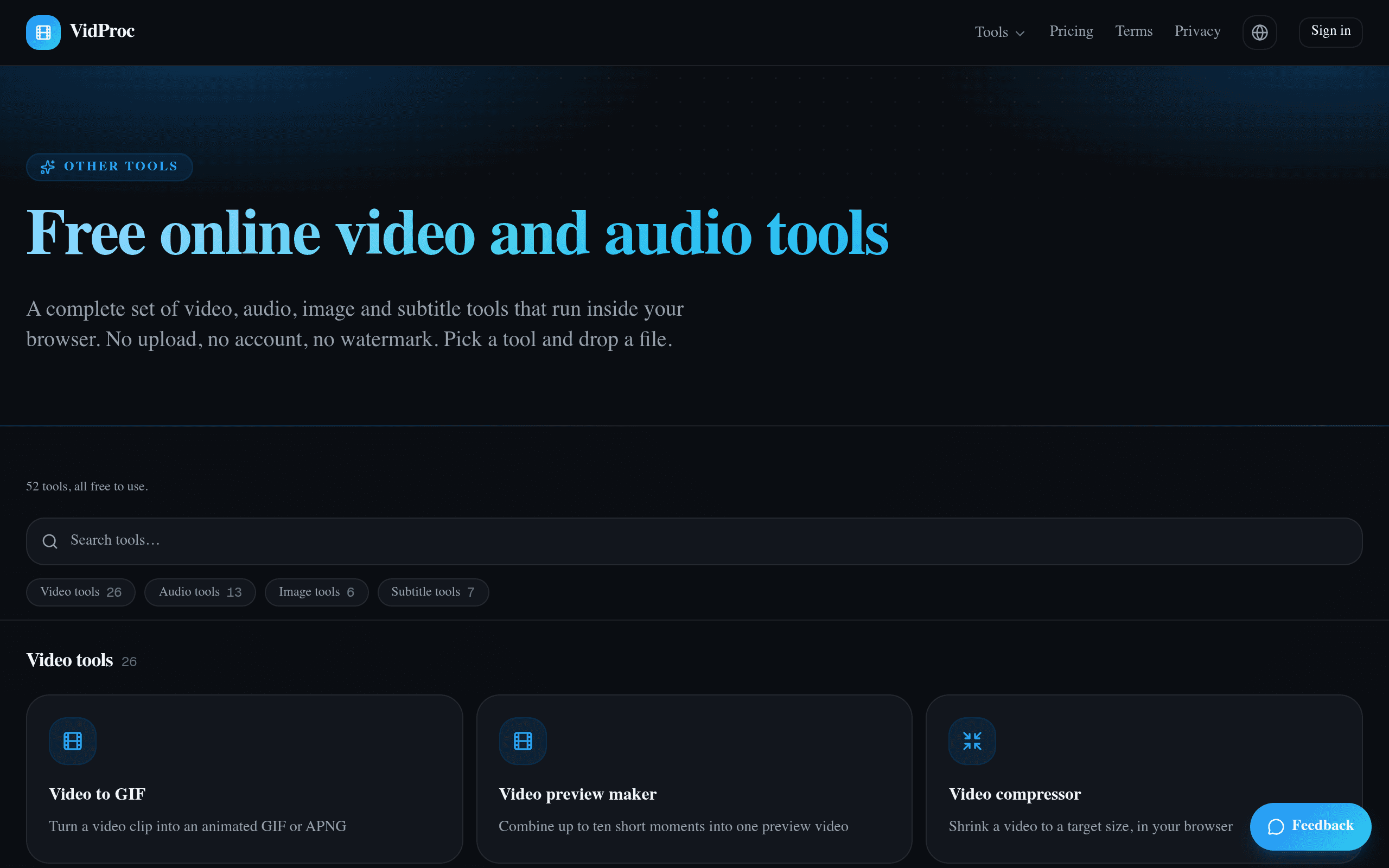
What VidProc Actually Is
VidProc is a web app at vidproc.com/en/tools that bundles 52 separate utilities for video, audio, image, and subtitle work into one interface. No sign-up wall, no watermark, no upload progress bar spinning while your 4K file crawls up to someone's cloud bucket — most of the processing happens locally in your browser using WebAssembly-based encoding, similar in spirit to tools like Squoosh or CloudConvert's client-side mode, but scoped specifically to media.
The tool list reads like a greatest-hits of "things I Google at 11pm": MP4 to MOV, video to GIF, trim video without re-encoding, remove audio from video, extract subtitles, burn subtitles into video, compress video for email, convert HEIC to JPG, merge audio tracks, change video frame rate, and so on. Each tool lives on its own page with a single clear function rather than being buried in a full editor's menu tree.
The notable architectural choice is the split between in-browser and server-side processing. Simple, fast operations — trimming, format conversion for smaller files, basic audio extraction — run entirely client-side. Heavier jobs, like batch-converting dozens of files at once or handling HDR tone-mapping, get routed to server processing. That's a meaningful distinction because it's the difference between "this works instantly and privately" and "this works but now your file has left your machine." VidProc doesn't hide this split, but it's also not loudly flagged on every tool page, so you should check before running anything sensitive through a batch job.
Pricing: What's Actually Free vs. What Isn't Yet Clear
Every one of the 52 tools is listed as free to use right now, with no account required. That's the current state as of launch. What's not published anywhere on the site is pricing for the server-processing tier once you exceed whatever informal usage threshold exists for batch and HDR workloads — there's no visible rate limit, no "upgrade to Pro" button, and no terms describing what happens if you run 500 batch conversions in a day. That ambiguity is worth flagging: free-with-no-published-limits is either a generous launch strategy or a pricing page that hasn't shipped yet. If you're planning to build a workflow around VidProc for recurring heavy jobs, don't assume today's free access is permanent.
Concrete Use Cases Where VidProc Is Actually Useful
- You need to convert a .mov iPhone video to .mp4 to upload to a web form that rejects it. This is a 90-second job in VidProc with zero install, versus opening Premiere or hunting for the right FFmpeg flags.
- A client sent you a video with hardcoded aspect ratio issues and you need a quick trim + crop before a call in 20 minutes. No project file, no render queue — just the tool page.
- You have a folder of HEIC photos from an iPhone and need JPGs for a CMS that doesn't support HEIC. One of the 52 tools handles this directly in-browser.
- You're localizing a video and need to burn SRT subtitles into the file for a platform that doesn't support separate subtitle tracks (many ad platforms and some LMS systems don't).
- You need to strip audio from a screen recording before sending it somewhere with a mic-picked-up conversation in the background.
- Batch HDR footage from a drone or modern phone needs tone-mapping to SDR for a client who can't preview HDR — this routes to VidProc's server tier rather than staying local.
What VidProc is not good for: multi-track timeline editing, color grading, motion graphics, or anything requiring undo history across a complex project. It's a toolbox of single-purpose utilities, not an editor.
How It Compares
| VidProc | FFmpeg | Adobe Premiere Express | DaVinci Resolve | |
|---|---|---|---|---|
| Price | Free (server tier pricing unpublished) | Free, open source | Free tier + Premium ~$9.99/mo | Free (full paid version $295 one-time) |
| Interface | Browser, one tool per task, no install | Command-line only | Browser/app, timeline-based editor | Desktop app, professional NLE |
| Learning curve | Minimal — pick a tool, upload, done | Steep — requires syntax knowledge | Moderate — templates ease onboarding | Steep — full production suite |
| Best for | Quick one-off conversions, subtitle/audio extraction, no-install jobs | Scripted, repeatable, automatable batch pipelines | Social-ready edits with templates and stock assets | Serious editing, color grading, multi-cam projects |
| Data handling | Local for simple tasks, server for batch/HDR | 100% local, nothing leaves your machine | Cloud-based, requires Adobe account | Local, no account required for offline use |
| Watermarks/limits | None stated on any tool | None (it's just a library) | Watermarks/limits on some free-tier exports | None on paid version; free version has export limits |
The honest read: if you already script your workflow in FFmpeg, VidProc won't replace that — it's not automatable and has no CLI or API. But if you're the person who opens a browser tab to remember FFmpeg's trim syntax every single time, VidProc removes that friction entirely for one-off jobs. Compared to Premiere Express or Resolve, VidProc isn't trying to be an editor — it's trying to be the fastest possible answer to "I just need this one thing converted/trimmed/extracted right now."
Should You Try It Today
Yes, for the specific case of quick, no-install conversions, subtitle handling, or audio stripping where you don't want to install FFmpeg or open a full editor. The lack of watermarks and accounts makes it genuinely frictionless for one-off tasks. The one thing to watch: since server-tier pricing isn't published, don't build a business process around the batch/HDR features yet — run a test job first and keep an eye on whether VidProc introduces usage caps or a paid tier as it matures past launch.